Sammera

AI assistant for sales calls

The right specification, price or next step on screen while the customer is still asking, taken from your own sales material.

A customer wants to test drive a car this week
CustomerHi, I saw the electric estate on your site. Can I test drive it this week?
YouSure. Which of our sites is closest to you?
Listening00:12
Question 2 of 6
Do you have a car to trade in?
Suggest an answer
Transcripts are kept for 30 days. Audio is not kept.Only you can see this call.

The call becomes text as it happens

You and the customer are transcribed separately, so what they said about budget and timing is still there after the call. The first standard question is already on screen.

The same call, two ways

Answering a product question

Without Sammera: You promise to call back with the answer, and the customer keeps looking in the meantime.

With Sammera: The fact is on screen after one click, with the page it came from.

Documentation gaps

Without Sammera: The same question comes up again, and nobody writes the answer down.

With Sammera: Every question without an answer is saved, with a draft for the missing page.

After the call

Without Sammera: The CRM note waits until the end of the day, when the details are gone.

With Sammera: The note is drafted. Read it, paste it and make the next call.

Set up with what your team already knows

Sammera has no script of its own. The questions and the answers are the ones your team already uses.

Your checklist

The standard questions every call should cover. You write them, and change them whenever you like.

  • What do you use today?
  • What matters most to you in a new one?
  • Do you have something to trade in?
  • When do you want to have decided?
  • Who else is part of the decision?

Your documentation

Imported from Word, PDF, PowerPoint, OneNote, Confluence or Notion, or written in Sammera.

  • Product sheets and specifications
  • Price lists and current offers
  • Delivery times and what affects them
  • Routines for financing and trade-in
  • Answers to the objections you hear most

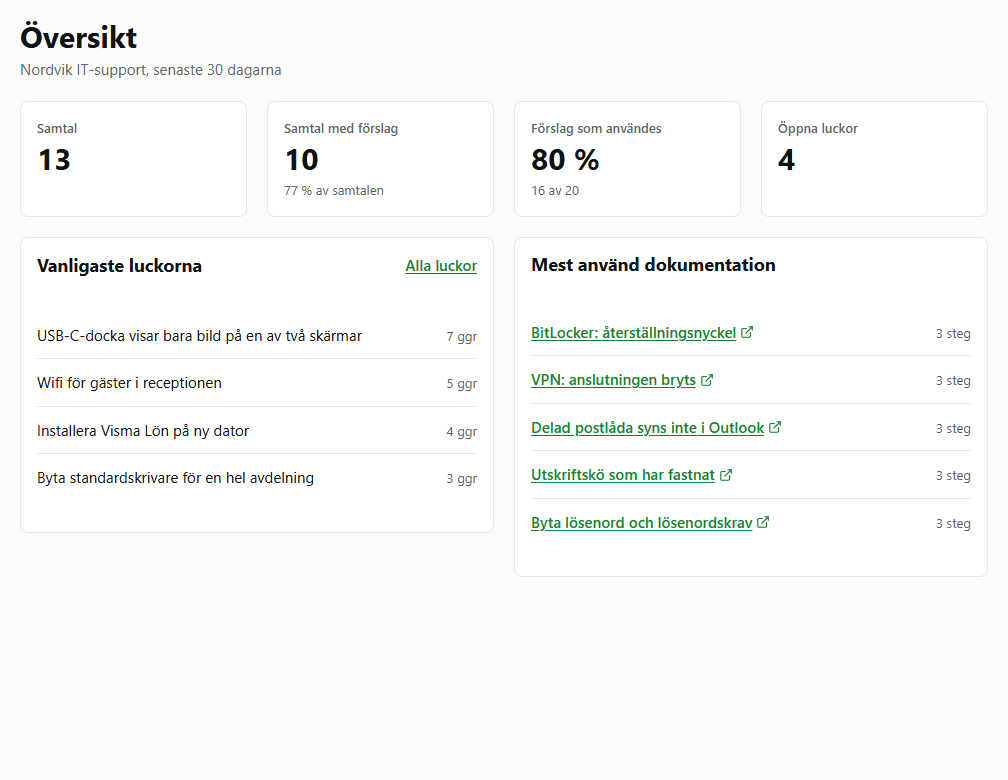
See which questions your sales material cannot answer

The overview shows which pages are used on calls and which questions had no answer, so you know what to add to the material.

How the documentation loop works

The overview in Sammera with number of calls, suggestions used, the most common gaps and the most used documentation

What sales teams ask

Does it work with our CRM?

Yes, with any of them. The note is ready to copy when the call ends and you paste it in. Sammera never writes to your systems.

Does it work on outgoing calls?

Yes. Sammera hears the call through the computer's audio, whoever dialled. Start it from the panel when the call connects.

Do customers need to be told?

Yes. Tell callers at the start of the call that it is transcribed. Audio is not kept unless you turn it on.

Try it on your own sales calls

Free for 30 days or 300 calls, with Sammera's AI included. Import a few product sheets and try it on your next call.

  • Any softphoneNothing to connect to your phone system.
  • Calls in Swedish todayEnglish is next.
  • A desktop app for WindowsInstalled per person, with no administrator rights needed.